Preset buttons let you trade a set amount in one tap, instead of typing an amount each time.
On a token's page
The trade panel has three preset buttons:
- Buy: 10, 50 and 100 XRP by default.
- Sell: 25%, 50% and MAX (100%) of your holding by default.
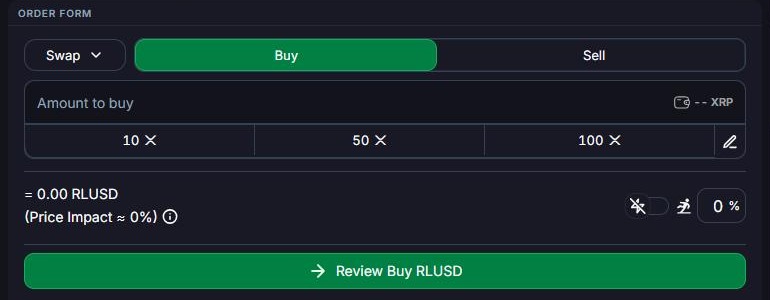
To change them, click the pencil icon next to the presets, type your own amounts, and save. You'll see Settings successfully saved. Your presets are saved to your account, so they follow you to every token.
Quick Buy on the token list
You can also buy straight from Tokens:
- Click Customize, open the View tab and turn on Enable Quick Buy.
- Set your Quick Buy amount in the filter bar.
- Use the Quick Buy column to buy any token in the list for that amount.
The first time you use it, you'll be asked to confirm, because Quick Buy trades in one click without a review step. Quick Buy is available with First Ledger's built-in wallet.