On your phone? Here's how to join the pool with Joey Wallet.
- Download Joey Wallet from joeywallet.xyz and install it.
- Create a new wallet in Joey, or import one you already have.
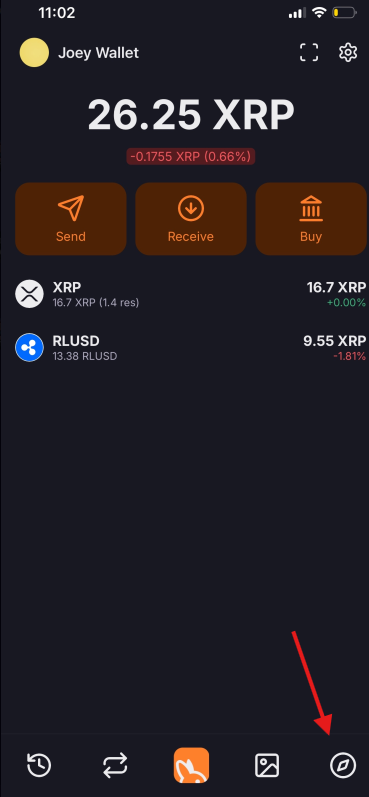
- Open Joey's in-app browser with the button at the bottom right of the screen.
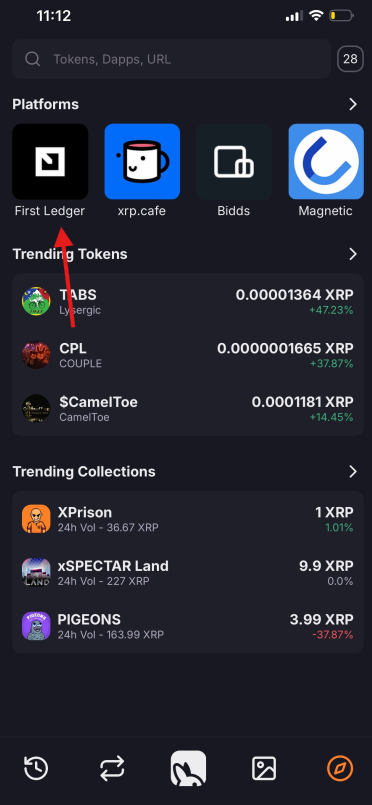
- You'll see the platforms Joey supports. Tap First Ledger.
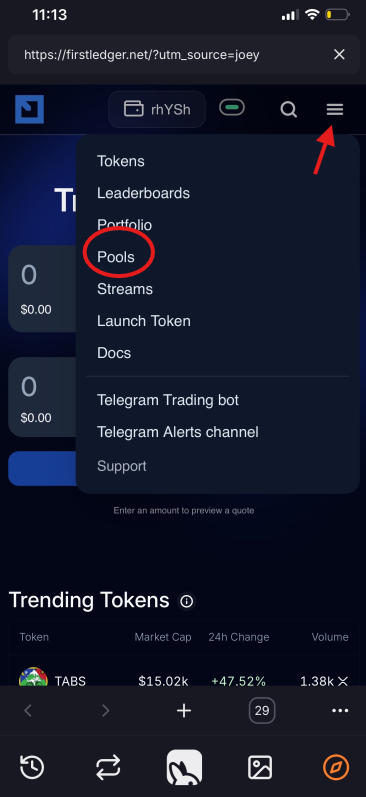
- Tap the menu at the top right and choose Pools.
- On the Explore tab, find the RLUSD / XRP pool, tap it, and choose Add liquidity.
- Under Deposit with, choose XRP + RLUSD or a single token, enter your amount, tap Deposit, and approve the transaction in Joey.
Your position then shows on the Positions tab, and rewards to claim on the Rewards tab.