- Open the token's page and, in the trade panel, select Sell.
- Enter how many tokens to sell under Amount to sell, or tap a preset percentage of your holding: 25%, 50% or MAX by default. You can change the presets with the pencil icon (see Preset Buys).
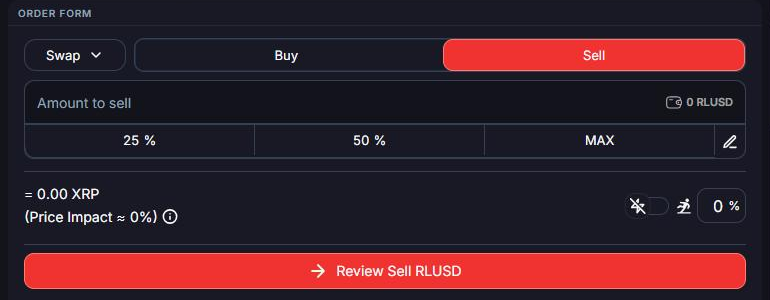
- Check your slippage and Price Impact, as when buying.
- Click Review Sell (ticker), check the details, then click Confirm. With quick execution on, the button reads Quick Sell (ticker) and sells in one click.
The XRP from the sale lands in your wallet as soon as the trade settles.
Sold your whole position? Use Remove trustline on the token's page to free up the 0.2 XRP trust line reserve. You can also burn any leftover dust of the token in the same step.